Wake up and smell the opportunity! In today’s hyper-connected world, your WordPress website is NOT just a digital business card. It’s your best salesperson, your tireless brand ambassador, and—if you play your cards right—your lead-generation machine. But let’s get real: if your website is stuck in the Stone Age, your prospects are clicking away faster than you can say “refresh.”
Here’s the deal: WordPress isn’t just a website platform—it’s your launchpad. It’s the difference between being another face in the crowd and being a market leader. Let’s break down EXACTLY how you can use WordPress to create a digital presence that attracts, converts, and delights. Ready to dominate your digital space? Let’s roll!
The WordPress Powerhouse: What Makes It a Game Changer?
If mediocrity is your goal, skip this section. But if you’re set on greatness, listen up. There’s a reason why WordPress powers more than 40% of all sites on the internet. It’s not luck. It’s because it delivers:
Unmatched Flexibility: Blogs, e-commerce, portfolios—if you can dream it, you can build it.
User-Friendly Mastery: No PhD in computer science required. Drag, drop, publish. Boom!
Endless Customization: Ditch the cookie-cutter. With tens of thousands of themes and plugins, your site is as unique as your business.
SEO Superpowers: Out-of-the-box optimization tools that help you climb Google’s rankings.
Community Muscle: Stuck? The WordPress community has your back, 24/7.
Remember—tools don’t succeed, people do. But when you put WordPress to work, you’re stacking the cards in your favor.
Set Your Sights Higher: Planning Your WordPress Success
Success NEVER happens by accident. Every killer website starts with a plan and a purpose.
Define Your Mission: What’s the single, measurable outcome you want your site to achieve? More leads? More sales? More bookings? Write it down. Own it.
Pick Stellar Hosting: Don’t build your business on shaky ground. Choose WordPress-optimized hosting with rock-solid uptime, blazing speed, and support that cares.
Theme Like a Pro: Your site’s look matters. Choose a responsive, fast, customizable theme that fits your brand like a glove.
Install What Matters: Don’t get lost in plugin purgatory. Focus on the essentials—SEO, security, forms, caching, analytics. Only what moves the needle.
Bottom line: Set clear goals, invest wisely, and keep your focus sharp.
Conversion is King: Design for Action
Pretty websites are nice. Profitable websites are better. If your site isn’t moving visitors to act, you’re leaving money on the table.
Crystal-Clear CTAs: Don’t make them guess. Tell your visitors what to do next—“Book Your Complimentary Audit,” “Download the Guide,” “Let’s Talk!”
Frictionless Navigation: If they can’t find it, they’ll never buy it. Make menus intuitive and lightning-fast.
Trust Wins: Testimonials, reviews, and trust badges aren’t fluff—they’re fuel for conversions.
Above-the-Fold Brilliance: Put your most important messages where eyes land first.
Remember: Every page, every word, every button should be designed to convert browsers into buyers.
Content: Your 24/7 Sales Force
Let’s get honest. Content isn’t just filler—it’s your silent salesperson, convincing visitors while you sleep.
Write to Solve, Not to Sell: Answer real questions, address real pain points, and give away value before you ask for anything.
Educate and Elevate: Share tips, guides, and resources that position you as the expert.
Stay Fresh: Update often. Google—and your audience—love new content.
Pro tip: Use headings, bullet points, and compelling visuals to guide your reader’s eye. Make it easy. Make it irresistible.
SEO: The Fast Track to Visibility
If your site can’t be found, it might as well not exist. WordPress gives you the tools—use them.
Strategic Keyword Research: Know what your prospects are searching for and use those keywords naturally.
Optimize Everything: Titles, meta descriptions, image alt text—leave no stone unturned.
Build Backlinks: Collaborate, guest post, and earn links that tell Google you’re worth ranking.
SEO isn’t magic. It’s about consistent, intentional effort. WordPress makes the technical stuff easy—your job is to deliver value.
Go Mobile or Go Home
Fact: More than half of your traffic is on a mobile device. If your site isn’t mobile-optimized, you’re waving goodbye to sales.
Responsive Themes: Choose themes that look great on every device.
Test Relentlessly: Check your site on different phones and tablets. Fix what’s broken.
Fast Loads Win: Compress images, use caching, and pick fast hosting.
Mobile isn’t a “nice to have.” It’s mission-critical. Don’t settle for less.
Speed: Your Hidden Weapon
Patience is NOT a virtue online. Every second your site takes to load costs you leads.
Image Compression: Shrink those file sizes.
Caching Plugins: Make returning visits lightning-quick.
Minimalist Plugins: Only install what you need. Less is more.
Speed equals revenue. Don’t let slow pages kill your conversions.
Lead Generation: Make Every Visit Count
WordPress is a lead-generation titan—if you know how to use it.
Landing Pages That Convert: Use Elementor or Beaver Builder to create landing pages that focus on ONE goal.
Popups with Purpose: Offer value—like a free guide or exclusive offer—in exchange for an email.
Live Chat: Be available. Answer questions in real time and close more deals.
Track It All: Use analytics to see what’s working and double down.
Remember: Traffic is nice, but leads are gold.
Rookie Mistakes? Not on Your Watch
Even smart business owners make these common blunders. Don’t be one of them.
Ignoring Updates: Old plugins invite hackers.
Too Many Plugins: Bloat slows you down and causes conflicts.
Weak Mobile Experience: You can’t afford to lose half your audience.
Bland Content: If you’re not adding value, you’re adding noise.
No Clear CTA: Don’t make visitors guess. Tell them what to do—boldly!
Avoid these, and you’ll be miles ahead of your competition.
WordPress FAQs: Fast Answers, Big Wins
Is WordPress beginner-friendly? Absolutely! If you can use email, you can use WordPress.
How much does a WordPress site cost? The platform is free. Budget for hosting, a premium theme, and must-have plugins.
Can I migrate my current site? Yes, and it’s easier than you think with migration plugins or expert help.
How do I keep my site secure? Strong passwords, updated plugins, and a reputable security plugin are your best defense.
Is it mobile-friendly? With the right theme and a little testing, your site will shine on any device.
WordPress.com vs. WordPress.org? .org is self-hosted (more control), .com is hosted for you (less flexibility).
Conclusion: Don’t Settle—Set the Pace
If you want average results, do what everyone else does. But if you want to dominate your space, leverage WordPress and build a site that WORKS as hard as you do. Don’t wait for leads to find you—create a site that attracts, captures, and converts.
Ready to ditch digital mediocrity? Ready to become THE authority in your market? Take action. Build your website with WordPress and watch your business soar.
Remember: Success rewards the BOLD. WordPress is your tool—what you do with it is your legacy. Let’s build something extraordinary.
In today’s digital age, a well-crafted website is the cornerstone of any successful online presence. However, even the most visually appealing sites can fall short if they fail to attract and retain visitors. Whether you’re a seasoned webmaster or a newcomer to the digital realm, it’s crucial to understand the common pitfalls that can sabotage your website’s traffic.
This comprehensive guide delves into 10 critical website mistakes that could be silently killing your traffic and, more importantly, provides actionable solutions to rectify them. From technical issues like slow page load times and poor mobile responsiveness to content-related challenges such as lack of quality material and neglected SEO, we’ll explore the full spectrum of factors that can make or break your site’s success.
By addressing these issues head-on, you’ll be well-equipped to transform your website into a traffic-generating powerhouse that engages visitors and drives your online goals forward.
1. Slow Page Load Times
Slow-loading pages frustrate visitors and negatively impact search rankings. To improve load times:
With mobile traffic surpassing desktop, a non-responsive site is detrimental to your success. Ensure your website is fully responsive across all devices and screen sizes.
3. Lack of Quality Content
Thin, low-quality content fails to engage visitors or rank well in search results. Focus on creating valuable, in-depth content that addresses your audience’s needs and questions.
4. Neglecting On-Page SEO
Proper on-page optimization is crucial for search visibility. Optimize your:
Title tags
Meta descriptions
Header tags (H1, H2, etc.)
Image alt text
URL structure
5. Ignoring Site Security
An unsecured website can deter visitors and harm your search rankings. Implement HTTPS encryption and keep your site’s software and plugins up-to-date.
6. Poor Navigation and User Experience
Confusing navigation frustrates users and increases bounce rates. Create a clear, intuitive site structure and use descriptive menu labels to help visitors find what they need.
7. Lack of Call-to-Actions (CTAs)
Without clear CTAs, visitors may not know what to do next. Strategically place relevant CTAs throughout your site to guide users towards desired actions.
8. Overlooking Analytics
Failing to monitor your site’s performance leaves you in the dark. Regularly analyze your traffic data to identify areas for improvement and track the success of your efforts.
9. Slow Site Speed on Mobile Devices
Mobile users expect fast-loading pages. Optimize your mobile site speed by:
Implementing Accelerated Mobile Pages (AMP)
Using mobile-specific caching
Reducing server response time
10. Ignoring Local SEO
For businesses with physical locations, neglecting local SEO is a costly mistake. Optimize your Google My Business listing, encourage customer reviews, and include location-specific content on your site.
By addressing these common website mistakes, you can significantly improve your site’s performance and attract more traffic. Regularly audit your website, stay up-to-date with best practices, and prioritize user experience to ensure your site remains competitive in the digital landscape
In today’s digital landscape, your website is often the first interaction potential customers have with your business. It’s your virtual storefront, your brand ambassador, and a critical component of your marketing strategy. But how do you know when it’s time to give your website a fresh look? Here are some telltale signs that you need a new website and tips for ensuring your revamp is a success.
Signs You Need a New Website
Outdated Design
First Impressions Matter: If your website design looks like it’s from a decade ago, it’s probably time for an update. Modern websites are clean, mobile-friendly, and easy to navigate. An outdated design can turn potential customers away before they even have a chance to learn about your offerings.
Lack of Visual Appeal: If your site lacks high-quality images, videos, and graphics, it may not be engaging enough for today’s visually-driven audience.
Poor User Experience (UX)
Navigation Challenges: If users struggle to find information or navigate your site, they’re likely to leave quickly. A well-structured website with clear menus and a logical flow keeps visitors engaged.
Slow Load Times: A slow website frustrates users and negatively impacts your search engine rankings. If your site takes more than a few seconds to load, it’s time for an upgrade.
Not Mobile-Friendly
Responsive Design is a Must: With the majority of web traffic coming from mobile devices, a site that isn’t optimized for mobile is a major liability. If your site doesn’t look and function well on smartphones and tablets, you’re missing out on a large audience.
Outdated Content and Functionality
Content Relevance: If your website still features old services, outdated pricing, or staff who no longer work there, it’s time for a refresh. Up-to-date content is crucial for engaging visitors and building trust.
Non-Functional Features: Broken links, missing images, and outdated forms or features can signal neglect to your visitors and drive them away.
Poor SEO Performance
Low Search Engine Rankings: If your website isn’t appearing in search engine results as it should, outdated SEO practices or poorly optimized content may be to blame. A website revamp with an SEO-focused strategy can help boost your visibility.
Security Vulnerabilities
Increased Security Risks: An old website is more susceptible to hacking and security breaches. If your site isn’t regularly updated or lacks modern security features like SSL certificates, it’s time for a revamp.
Tips for a Successful Website Revamp
Set Clear Goals
Identify Objectives: Before starting the redesign, identify what you want to achieve. Whether it’s improving user experience, boosting SEO, or increasing conversions, clear goals will guide the entire process.
Understand Your Audience
User-Centered Design: Know your target audience and design with them in mind. Conduct surveys, analyze user data, and consider how your audience interacts with your site to create a design that meets their needs.
Prioritize Mobile Experience
Mobile-First Approach: Ensure your new website is fully responsive and looks great on all devices. Prioritize mobile design, as this is where a significant portion of your traffic will come from.
Focus on SEO from the Start
SEO Integration: Work with SEO experts to ensure that your site’s structure, content, and performance are optimized for search engines. This includes optimizing images, meta tags, and using clean, organized code.
Invest in Quality Content
Content Strategy: Fresh, relevant content is key to engaging visitors and improving SEO. Plan for regular updates and consider incorporating a blog or resource section to keep your site dynamic and informative.
Test, Test, Test
Thorough Testing: Before launching your revamped site, conduct thorough testing on various devices and browsers. This includes checking for broken links, ensuring fast load times, and verifying that all forms and features function correctly.
Monitor and Improve
Post-Launch Analysis: After launching your new website, monitor its performance using analytics tools. Pay attention to user behavior, conversion rates, and SEO rankings. Use this data to make continuous improvements.
Revamping your website is a significant investment, but it’s one that can pay off immensely by improving user experience, boosting your brand’s credibility, and driving more conversions. By recognizing the signs that it’s time for an update and following these tips, you can ensure that your website not only looks great but also performs optimally.
If you’re ready to take your website to the next level, AB Digital is here to help. Contact us today to discuss how we can create a website that meets your business goals and delights your customers.
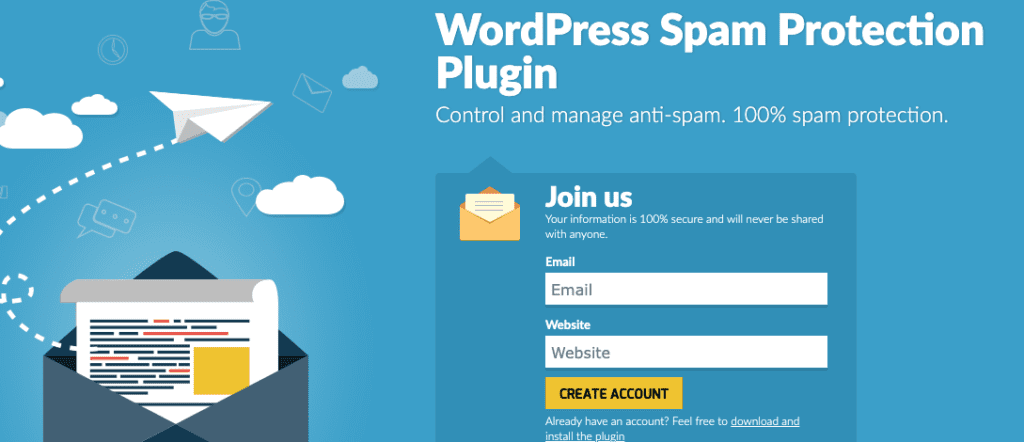
Spam – it’s the relentless annoyance that website owners face every day. And if you’re using Contact Form 7 on your WordPress site, you’re no stranger to spammy form submissions. But here’s the good news: with the right WordPress plugins, you can slam the door on spam and keep your inbox squeaky clean. In this post, we’ll introduce you to seven easy-to-use plugins that’ll help you bid farewell to Contact Form 7 spam.
Akismet is your first line of defense. It’s like a digital bouncer for your inbox, kicking out the unwanted guests. Once you’ve got it set up, it scans your form submissions and separates the wheat (legit messages) from the chaff (spam). It’s like magic!
2. reCAPTCHA Integration:
Ever seen those “I’m not a robot” checkboxes? That’s reCAPTCHA at work. With a plugin like “reCAPTCHA Integration for Contact Form 7,” you can easily add this extra layer of protection to your forms. It’ll make sure that only humans – not pesky bots – get through.
Honeypot is a clever trick to catch sneaky spammers. It adds a hidden field to your forms that humans can’t see. But guess what? Bots can’t resist filling it out! So, when it’s detected, you know it’s spam. Sweet, right?
WPBruiser is like a bouncer with a keen eye. It’s all about identifying the troublemakers. This plugin offers both no-CAPTCHA and no-login CAPTCHA options, making it a versatile choice to stop spam and protect your forms.
CleanTalk is like a spam detective, always on the lookout. It analyzes incoming submissions in real-time, sniffing out the spammy ones. It might be a premium service, but its reputation for being super effective makes it worth every penny.
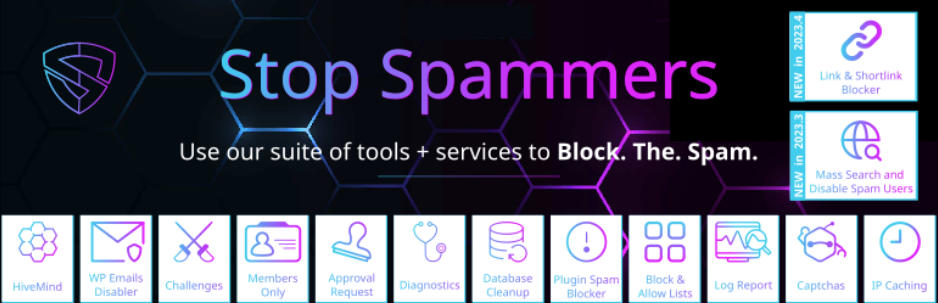
Stop Spammers is your spam Swiss Army knife. It doesn’t just stop spam; it prevents it from ever getting in. With features like country blocking, IP checks, and customizable rules, you’re in control.
Spam doesn’t have to ruin your day – or your inbox. With these seven WordPress plugins, you’ve got the tools to say “no” to spam and “yes” to a clean Contact Form 7 experience. Whether you want a digital bouncer, a sneaky honeypot, or a silent guardian, there’s a plugin here for you. So, go ahead, pick your spam-fighting sidekick and enjoy a spam-free website!